Author: Ifraaz

  • Arch Linux Cheatsheet

    Arch Linux Cheatsheet

    Essential commands for installation, package management, system administration, and troubleshooting
    Assumes pacman as primary package manager. All commands require sudo unless run as root.


    1. Installation (Live USB/ISO)

    TaskCommand
    Update keyring (critical first step)pacman -Sy archlinux-keyring --noconfirm
    Sync mirrors (fastest)reflector --latest 10 --sort rate --save /etc/pacman.d/mirrorlist
    List diskslsblk -f or fdisk -l
    Partition disk (example: UEFI + root)cfdisk /dev/sdX
    Format partitionsmkfs.fat -F32 /dev/sdX1 (EFI)
    mkfs.ext4 /dev/sdX2 (root)
    Mount partitionsmount /dev/sdX2 /mnt
    mkdir -p /mnt/boot && mount /dev/sdX1 /mnt/boot
    Install base systempacstrap /mnt base linux linux-firmware
    Generate fstabgenfstab -U /mnt >> /mnt/etc/fstab
    Chroot into systemarch-chroot /mnt
    Set timezoneln -sf /usr/share/zoneinfo/Region/City /etc/localtime
    hwclock --systohc
    Set localeEdit /etc/locale.gen → uncomment en_US.UTF-8 UTF-8
    locale-gen
    echo "LANG=en_US.UTF-8" > /etc/locale.conf
    Set hostnameecho "myhostname" > /etc/hostname
    Add to /etc/hosts127.0.0.1 localhost
    ::1 localhost
    127.0.1.1 myhostname.localdomain myhostname
    Set root passwordpasswd
    Install bootloader (GRUB UEFI)pacman -S grub efibootmgr
    grub-install --target=x86_64-efi --efi-directory=/boot --bootloader-id=GRUB
    grub-mkconfig -o /boot/grub/grub.cfg
    Enable network (systemd)pacman -S networkmanager
    systemctl enable NetworkManager
    Exit & rebootexit
    umount -R /mnt
    reboot

    2. Pacman (Package Management)

    ActionCommand
    Update systempacman -Syu
    Install packagepacman -S package
    Remove package (with deps)pacman -Rns package
    Search packagepacman -Ss keyword
    List installed packagespacman -Q
    List explicitly installedpacman -Qe
    Clean cache (keep last 3 versions)paccache -rk 3
    Remove untracked packagespacman -Rns $(pacman -Qdtq)
    View package infopacman -Qi package
    List files in packagepacman -Ql package
    Which package owns filepacman -Qo /path/to/file
    Sync databasepacman -Syy
    Force refreshpacman -Syyu

    AUR Helper (yay/paru)
    Install: pacman -S --needed git base-devel
    git clone https://aur.archlinux.org/yay.git && cd yay && makepkg -si
    Use: yay -S package (replaces pacman for AUR)


    3. System Administration

    TaskCommand
    List servicessystemctl list-unit-files --type=service
    Enable servicesystemctl enable service
    Start servicesystemctl start service
    Check statussystemctl status service
    View logsjournalctl -u service
    Rebootreboot
    Shutdownpoweroff
    View kernel messagesdmesg | less
    Check disk usagedf -h
    Check memoryfree -h
    List processeshtop or top
    Kill processkill PID or pkill name
    Edit config (nano/vim)nano /path/to/file
    Backup pacman databasecp -r /var/lib/pacman /backup/

    4. Users & Permissions

    ActionCommand
    Add useruseradd -m -G wheel username
    Set user passwordpasswd username
    Enable sudo for wheelEDITOR=nano visudo → uncomment %wheel ALL=(ALL) ALL
    Change file ownerchown user:group file
    Change permissionschmod 755 file

    5. Networking

    TaskCommand
    Check IPip a
    Test connectionping archlinux.org
    Wi-Fi (iwctl)iwctl → station wlan0 scan → connect SSID
    Enable Wi-Fisystemctl enable --now iwd
    Check DNScat /etc/resolv.conf
    Restart NetworkManagersystemctl restart NetworkManager

    6. Filesystem & Storage

    TaskCommand
    Mount USBmount /dev/sdb1 /mnt/usb
    Unmountumount /mnt/usb
    Format ext4mkfs.ext4 /dev/sdX1
    Check filesystemfsck /dev/sdX1
    Find large filesdu -ah / | sort -rh | head -n 20
    Search filesfind / -name "filename"

    7. Troubleshooting

    IssueCommand
    Boot into recoveryHold Shift at boot → GRUB → e → add systemd.unit=rescue.target
    Fix broken packagespacman -Dk (check deps)
    pacman -Syu --overwrite '*'
    Reinstall all packagespacman -Qnq | pacman -S -
    Clear journal logsjournalctl --vacuum-time=2weeks
    Check boot errorsjournalctl -b -p err
    Regenerate initramfsmkinitcpio -P
    Update GRUBgrub-mkconfig -o /boot/grub/grub.cfg

    8. Useful Tools to Install

    pacman -S vim htop git curl wget unzip tree reflector rsync

    9. One-Liners

    # Full system update + clean
    pacman -Syu && paccache -ruk0 && pacman -Rns $(pacman -Qdtq)
    
    # Mirrorlist (fastest 10 servers)
    reflector --latest 10 --sort rate --save /etc/pacman.d/mirrorlist && pacman -Syy
    
    # Show orphan packages
    pacman -Qdt
    
    # Rebuild AUR packages after upgrade
    yay -Syu --rebuildall

    10. Arch Wiki Shortcut

    Always check: https://wiki.archlinux.org

    # Search wiki offline (install arch-wiki-docs)
    pacman -S arch-wiki-docs
    wiki-search "query"

    Pro Tip: Keep archinstall script for automated installs:

    pacman -S archinstall
    archinstall

  • Why Torrenting Over the Tor Network Is Still a Bad Idea in 2025

    Why Torrenting Over the Tor Network Is Still a Bad Idea in 2025

    If you’re thinking about torrenting over the Tor network in 2025, brace yourself for a frustrating experience. Despite its reputation for anonymity, Tor is simply not built for peer-to-peer (P2P) file sharing. Speeds remain painfully slow, and the risks outweigh the benefits. Here’s a deep dive into why torrenting over Tor is a non-starter, along with better alternatives for anonymous downloading.

    The Speed Problem: Tor Isn’t Built for Torrenting

    In 2025, Tor’s performance for P2P traffic hasn’t improved much from years past. Typical download speeds hover in the single-digit Mbps range—think 1-5 Mbps under ideal conditions, often dropping below 1 Mbps when the network is congested. Compare that to a decent VPN, which can easily hit 500+ Mbps, and you’ll see why Tor is a poor choice for downloading large files.

    Why is it so slow? Tor’s onion routing sends your traffic through multiple volunteer-run relays, each encrypting and decrypting data. This process introduces significant latency and overhead, especially for bandwidth-hungry activities like torrenting. A single torrent session can create hundreds of Tor circuits to connect to peers, overwhelming the network’s limited capacity (estimated at 10-20 Gbps globally, shared among millions of users). The result? Hours to download a 1GB file that might take minutes with a VPN.

    Older benchmarks, like a 2018 test downloading an Ubuntu ISO at ~22 Mbps, are outliers and don’t reflect the reality today. User reports and guides from 2025 consistently describe torrenting over Tor as “painfully slow,” with network congestion and relay throttling making things worse. The Tor Project itself discourages P2P use to avoid straining its volunteer-run infrastructure.

    Technical Mismatches: BitTorrent and Tor Don’t Play Nice

    Beyond raw bandwidth, BitTorrent’s protocols clash with Tor’s design. Torrent clients rely heavily on UDP for trackers and distributed hash tables (DHT) to find peers, but Tor only supports TCP effectively. Falling back to TCP-only modes can slash efficiency by 50-70%, slowing things down even more. Configuring a client like qBittorrent or Deluge to use Tor’s SOCKS5 proxy (127.0.0.1:9050) is possible, but it’s a clunky workaround that doesn’t solve the core issues.

    Risks of Torrenting Over Tor

    Even if you get torrenting to work, it’s risky—for both you and the Tor network:

    • De-Anonymization: Misconfigured torrent clients can leak your real IP address through DHT or UDP connections, undermining Tor’s anonymity. Timing attacks, where adversaries correlate traffic patterns across Tor circuits, are another threat. Anonymity isn’t guaranteed unless you’re meticulous with settings.
    • Network Strain: Torrenting hogs bandwidth, which can slow down Tor for everyone else. Many relays throttle or block P2P traffic to prevent abuse, and heavy use might get your Tor instance blacklisted.
    • Legal Risks: Exit nodes, run by volunteers, could face scrutiny for hosting your torrent traffic. This puts unfair pressure on the Tor community and could lead to legal headaches for node operators.

    Better Alternatives for Anonymous Torrenting

    If you need anonymity for P2P file sharing, there are better options than Tor:

    • P2P-Optimized VPNs: Services like NordVPN or Proton VPN offer blazing-fast speeds (500+ Mbps), port forwarding for better seeding, and audited no-logs policies. They’re designed for torrenting and won’t overload shared infrastructure. Setup is straightforward, and you’ll get your files in a fraction of the time.
    • I2P for Darknet P2P: The Invisible Internet Project (I2P) is a true darknet alternative built for internal routing of P2P traffic. While still slower than VPNs (~10-50 Mbps), it handles torrents better than Tor and keeps your activity within its network.

    Tor shines for browsing .onion sites or fetching small .torrent files anonymously, but it’s not a download engine. For actual torrenting, it’s a bottleneck that risks your privacy and the network’s health.

    The Bottom Line

    In 2025, torrenting over Tor remains a bad idea. Speeds are abysmal, the setup is finicky, and the risks—both to your anonymity and the Tor network—are significant. If you need to torrent anonymously, invest in a reputable P2P-friendly VPN for fast, secure downloads, or explore I2P for a darknet alternative. Save Tor for what it does best: low-bandwidth, high-privacy browsing. Your patience (and your peers on the network) will thank you.

    Have thoughts on torrenting or anonymity tools? Share them below, and let’s discuss! For more tech insights, stay tuned.

  • List of Privacy-Focused Websites and Operating Systems

    List of Privacy-Focused Websites and Operating Systems

    With online tracking, data breaches, and surveillance on the rise, protecting your digital privacy is more critical than ever. This curated list, updated for 2025, features websites offering tools, resources, and guides, plus privacy-focused Linux operating systems to secure your digital life. From platforms like PrivacyPack.org to privacy-first OSes like Tails, these recommendations empower beginners and advanced users alike. We’ve also included Firefox with essential extensions for secure browsing.

    1. Privacy Tool Directories

    Discover privacy-respecting software and services, often open-source and audited for security.

    • Privacy Guides (privacyguides.org)
      A community-driven hub with ad-free recommendations for VPNs, password managers, and email providers, emphasizing usability and security audits to avoid big tech surveillance.
    • PrivacyTools.io (privacytools.io)
      Established in 2015 post-Snowden, this site curates tools and guides to counter mass surveillance, featuring picks like Incogni for data removal and LibreWolf for secure browsing, prioritizing open-source and cross-platform options.
    • PRISM Break (prism-break.org)
      A wiki-style directory listing free, open-source alternatives to surveillance-prone software, such as Firefox over Google Chrome.
    • Switching.Software (switching.software)
      Recommends ethical, privacy-focused alternatives to popular apps, like Signal for messaging or Nextcloud for cloud storage, with a focus on easy transitions.

    2. Educational Privacy Resources

    Learn to protect yourself with practical guides and tutorials.

    • Surveillance Self-Defense (SSD) (ssd.eff.org)
      From the Electronic Frontier Foundation (EFF), this site offers beginner-friendly guides on encryption, secure messaging (e.g., Signal), and avoiding workplace spying.
    • Privacy International (privacyinternational.org)
      Provides global insights, toolkits, and advocacy resources to combat unlawful surveillance and protect digital rights.
    • Techlore (techlore.tech)
      Offers video tutorials, blog posts, and a privacy tool matrix to help users choose tools like VPNs or secure browsers based on their threat models.

    3. Data Breach Checkers

    Check if your data has been exposed and take action.

    • Have I Been Pwned? (HIBP) (haveibeenpwned.com)
      Search 14+ billion breached accounts to see if your email has been compromised, with notifications for future breaches and password manager integration.
    • DataBreach.com (databreach.com)
      Search by email, name, or SSN to uncover breaches and get assistance removing your data from brokers.
    • Monitor Firefox (monitor.firefox.com)
      Powered by HIBP, this Mozilla service checks for email breaches and offers privacy tips, integrating with Firefox accounts for ease of use.

    4. Interactive Privacy Tools

    Engage with privacy in a fun, shareable way.

    • PrivacyPack (privacypack.org)
      Created by Ente, this tool lets you showcase mainstream apps you’ve ditched (e.g., Google Photos) for privacy-focused alternatives (e.g., Ente Photos) via shareable cards.
    • Reset the Net Privacy Pack (pack.resetthenet.org)
      A campaign offering easy-to-use tools like Pidgin for chat, focused on ending mass surveillance.

    5. Privacy-Focused Browser Recommendation

    Secure your browsing with a trusted, open-source browser and essential extensions.

    • Firefox (mozilla.org)
      Mozilla’s open-source browser prioritizes user data control, avoiding Google’s ecosystem. Enhance it with these privacy-focused extensions:
      • uBlock Origin: Blocks invasive ads and trackers, boosting speed and privacy.
      • Bitwarden: A free, open-source password manager for secure storage and autofill.
      • Privacy Badger: Automatically blocks trackers violating privacy, developed by the EFF.
      • HTTPS Everywhere: Forces websites to use secure HTTPS connections, also from the EFF.
      • NoScript (noscript.net): Blocks all scripts by default, allowing manual control for advanced users.

    6. Additional Privacy Resources

    Explore specialized tools and communities for deeper protection.

    • The Hitchhiker’s Guide to Online Anonymity (anonymity.academy)
      A comprehensive guide covering anonymity techniques, from Tor usage to secure OS setups, ideal for advanced users and activists.
    • SimpleLogin (simplelogin.io)
      Create disposable email aliases to protect your real email from spam and tracking, with integration for ProtonMail and other services.
    • Awesome Privacy (awesome-privacy.xyz)
      A community-curated list of privacy tools, self-hosted apps, and resources for niche solutions like encrypted note-taking.
    • That One Privacy Site (thatoneprivacysite.net)
      Offers detailed comparisons of VPNs and email providers, focusing on jurisdiction and logging policies.

    7. Privacy-Focused Linux Operating Systems

    For ultimate control, switch to a Linux-based OS designed for privacy and security, minimizing telemetry and maximizing user control.

    • Tails (tails.boum.org)
      A live-boot OS that runs from a USB drive, routing all traffic through the Tor network for anonymity. Ideal for sensitive tasks, it leaves no trace on the host machine and includes tools like Thunderbird and KeePassXC.
    • Whonix (whonix.org)
      A dual-VM system running inside your existing OS, routing all traffic through Tor for strong anonymity. Easy to set up and perfect for users needing persistent privacy, with built-in protections against IP leaks.
    • Qubes OS (qubes-os.org)
      A security-focused OS using Xen-based virtualization to isolate apps and tasks in separate “domains.” Recommended for advanced users, it’s endorsed by Edward Snowden for its robust compartmentalization.
    • PureOS (pureos.net)
      A fully open-source Linux distribution from Purism, designed for privacy and security. It’s preconfigured with privacy tools like Firefox and supports convergence across desktops and mobile devices.

  • Server Rack Security to the Next Level

    Server Rack Security to the Next Level

    Installing Dahua IP Camera on the Server Rack plugged straight to the Cisco PoE Switch.

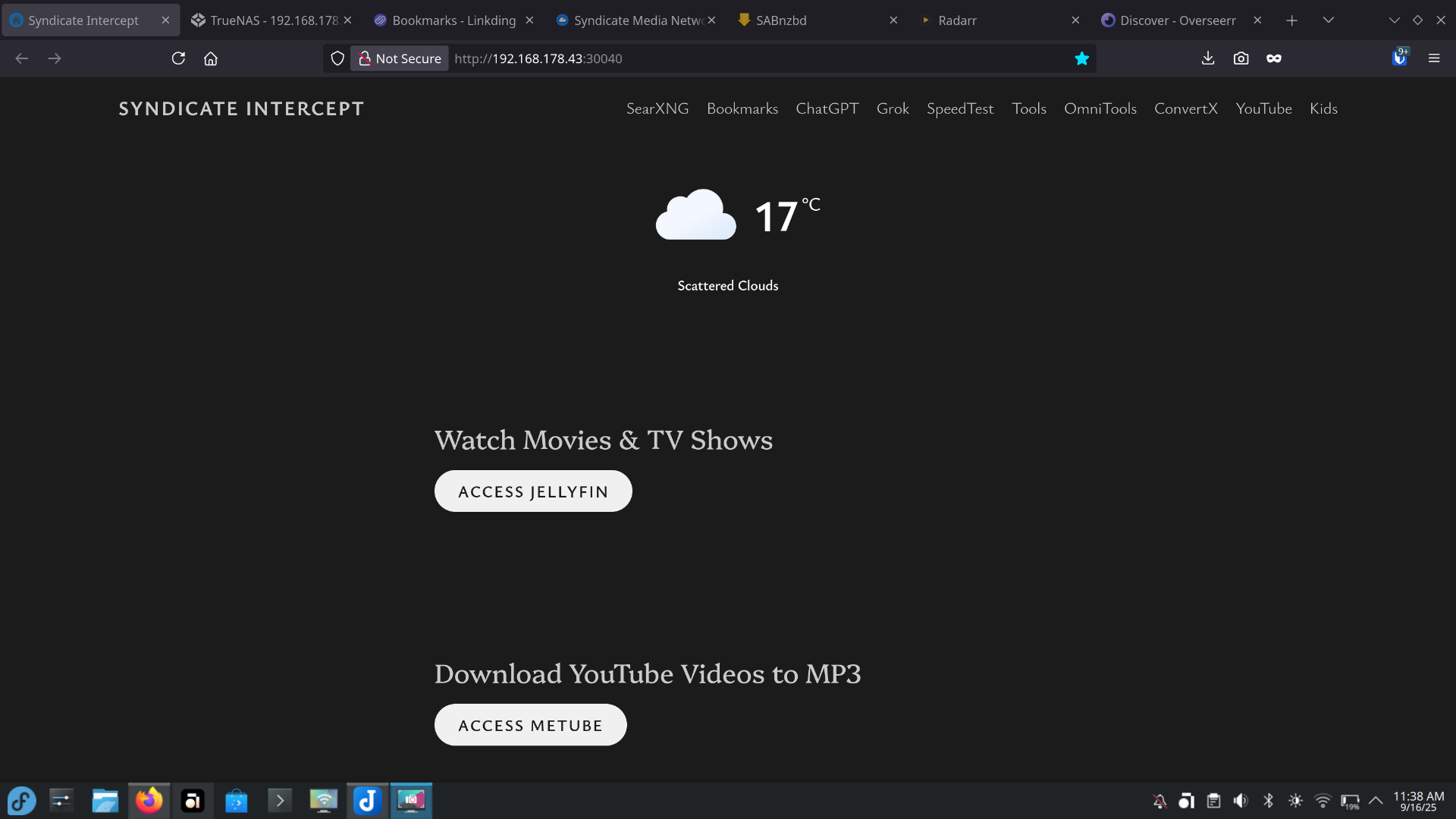
    Homarr

  • List of Cool Websites #4: Self-hosted Edition

    List of Cool Websites #4: Self-hosted Edition

    Looking to boost your productivity or set up a powerful self-hosted environment? Whether you’re a seasoned tech enthusiast or just starting out, these websites are treasure troves for discovering the right tools, operating systems, communities, and hardware to build your dream setup. From Dockerized apps to bootable USB tools and media acquisition platforms, this list has you covered.

    1. LinuxServer.io – Your Hub for Self-hosted Docker Images

    LinuxServer.io is a go-to resource for anyone looking to deploy self-hosted applications using Docker. Run by a passionate community, they maintain one of the largest collections of Docker images, all built on a standardized base with s6-overlay for extensibility. Their images, available on hub.docker.com, include popular apps like Plex, Jellyfin, Radarr, Sonarr, KaraKeep, Speedtest, MeTube, Nextcloud, SMB servers, and even local WordPress instances. With clear documentation and regular updates, LinuxServer.io makes self-hosting accessible and reliable.

    2. DistroWatch – Find the Perfect Linux or BSD Distribution

    Choosing the right operating system for your self-hosted server can be overwhelming, but DistroWatch.com simplifies the process. This site is a one-stop shop for discovering and comparing Linux and BSD distributions. Whether you’re looking for a lightweight distro for a low-power server or a robust one for heavy workloads, DistroWatch provides detailed reviews, rankings, and news to help you make an informed choice.

    3. TrueNAS Community Edition – Your Self-hosted Powerhouse

    TrueNAS Community Edition is a fantastic platform for running a self-hosted server with built-in support for a wide range of applications. TrueNAS makes it easy to set up and manage apps like Plex for media streaming, Jellyfin for open-source media management, Radarr and Sonarr for automated media organization, KaraKeep for music management, Speedtest for network performance testing, MeTube for video downloading, Nextcloud for personal cloud storage, SMB servers for file sharing, and local WordPress sites for blogging or testing. With TrueNAS, you can also use Homarr to create a sleek dashboard for managing all your self-hosted services. The community edition is free, powerful, and perfect for home lab enthusiasts.

    4. PCPartPicker – Build Your Dream Server or PC

    If you’re ready to build a custom server or PC to host your self-hosted applications, PCPartPicker.com is the ultimate resource. This site offers part selection, pricing, and compatibility guidance for DIY computer builders. Whether you’re assembling an entry-level Intel gaming rig, an AMD-powered streaming beast, or a high-end server for running TrueNAS and Docker containers, PCPartPicker has build guides for various budgets and use cases. You can also browse thousands of completed builds from the community to get inspiration or compare components.

    5. r/selfhosted – Join the Self-hosting Community

    The r/selfhosted subreddit is a vibrant community where self-hosting enthusiasts share tools, troubleshoot issues, and discuss apps like Sonarr, Plex, or Homarr. It’s a fantastic place to find inspiration, get help with your TrueNAS or Docker setup, and connect with others passionate about running their own servers. Whether you’re stuck on a configuration or looking for new app recommendations, this community has you covered.

    6. Ventoy – Create Bootable USBs for Server Setups

    Ventoy is an open-source tool that simplifies creating bootable USB drives for installing operating systems. Perfect for self-hosting enthusiasts, Ventoy lets you store multiple ISO files (like those from DistroWatch) on a single USB, automatically generating a boot menu to select and install distros for your TrueNAS server or other hardware. Its ease of use and flexibility make it a must-have for setting up or testing new server environments.

    7. Usenet Resources: Newshosting and NZBPlanet – Automate Your Media Downloads

    For self-hosters building a media library with Radarr, Sonarr, or Jellyfin, Usenet is an efficient, decentralized protocol for accessing vast archives of content. Pair a reliable Usenet provider with an NZB indexer to search, download, and automate everything directly to your TrueNAS storage. With Prowlarr to manage indexers like NZBPlanet and sync with Radarr/Sonarr, and SABnzbd to handle downloads and organize them into category-specific folders when properly configured, you can create a fully automated pipeline for your media.

    • Newshosting: A top-tier Usenet provider in 2025, offering over 6,200 days of binary retention, uncapped speeds across a global Tier-1 network, and access to 110,000+ newsgroups. It includes a free newsreader with built-in search and a bundled VPN, which you can also use to secure IPTorrents downloads, making it ideal for high-volume media automation without throttling.
    • NZBPlanet: A veteran NZB indexer with NZBs indexed back 17+ years, API support for seamless integration with Sonarr/Radarr, and features like watchlists, release calendars, and an active forum for requests. Open registration and frequent updates (every 15 minutes) make it easy to find rare or recent content for your self-hosted library.

    Remember to use these responsibly and pair them with a VPN for privacy. They’re game-changers for turning your server into a fully automated media hub!

    8. IPTorrents – Private Torrent Tracker for Diverse Content

    IPTorrents is a well-established private torrent tracker offering a vast, organized library of media, software, and more. Its invite-only system (or occasional paid sign-ups) ensures high-quality torrents and strong seeding ratios, making it perfect for self-hosters integrating with automation tools like Radarr, Sonarr, or Jackett. Jackett manages torrent indexers like IPTorrents, syncing seamlessly with your *arr apps to automate downloads to your TrueNAS library. If you’re using Newshosting, its bundled VPN covers your IPTorrents downloads too, so you don’t need a separate VPN service. While Usenet excels for quick scene releases, IPTorrents shines for rare or niche content not always found on NZB indexers. Access requires an invite or donation, but it’s a reliable complement to Newshosting and NZBPlanet for building your media library. Always use it responsibly with a VPN for privacy!


    These websites are your gateway to creating a powerful, self-hosted ecosystem. From deploying Docker containers with LinuxServer.io to picking the perfect distro on DistroWatch, running a feature-packed server with TrueNAS Community Edition, building hardware with PCPartPicker, learning from the r/selfhosted community, preparing bootable drives with Ventoy, and automating media with Usenet tools like Newshosting, NZBPlanet, Prowlarr, and SABnzbd or torrents via IPTorrents and Jackett, you’ll find the tools and inspiration to take your productivity and creativity to the next level.

  • HD Space Galaxy Wallpaper For Mobile

    HD Space Galaxy Wallpaper For Mobile


  • What Creatine Monohydrate Really Does: Muscles, Recovery & Brain Boosts

    What Creatine Monohydrate Really Does: Muscles, Recovery & Brain Boosts

    If you’ve just grabbed yourself a tub of Creatine Monohydrate, good call. It’s one of the most studied, proven, and powerful supplements for fitness, recovery, and—believe it or not—brain performance.

    Let’s break it down so you know exactly what you’re putting into your body and how it helps.

    🏋️‍♂️ Muscle Gains: Not Just Hype

    🔋 More ATP = More Power

    Creatine increases phosphocreatine stores in your muscles, which helps regenerate ATP—the energy currency your body uses for quick, explosive movements. Think lifting, sprinting, or doing that last brutal rep.

    Result? More strength, more reps, and more muscle stimulus.

    💪 Boosted Muscle Growth

    Creatine helps you build muscle in two major ways:

    • Indirectly, by letting you train harder and longer.
    • Directly, by drawing water into your muscle cells—this makes them look fuller and triggers signals for protein synthesis.

    🧬 Activates Growth Pathways

    It supports anabolic pathways like mTOR, which is key to building lean muscle.

    🔁 Faster, Smarter Recovery

    🧯 Less Muscle Soreness

    Creatine helps reduce inflammation and muscle cell damage post-training. That means less DOMS (Delayed Onset Muscle Soreness), and more motivation to train again tomorrow.

    ⚡ Quicker Recharge Between Sets

    Because it replenishes your phosphocreatine stores faster, you recover quicker between sets. That’s crucial for high-performance training.

    🩸 Better Glycogen Storage

    Some research suggests creatine improves glycogen replenishment—even more so when taken with carbs post-workout. More glycogen = better performance.

    🧠 Brain Gains: Creatine’s Secret Weapon

    🧠 Mental Energy

    Creatine boosts brain energy metabolism the same way it fuels muscles. The result? Improved focus, mental clarity, and stamina during demanding cognitive tasks.

    🚀 Better Memory & Focus

    Studies show creatine may improve:

    • Working memory
    • Reaction time
    • Mental endurance

    Especially during:

    • Sleep deprivation
    • High stress
    • Cognitive overload
    • Aging

    🌱 Even More Useful for Vegans

    Vegetarians and vegans tend to have lower natural creatine levels, so supplementation can make a big difference.

    📌 How to Use Creatine Monohydrate

    🥄 Dosage:

    • Loading Phase (optional): 20g/day split into 4 doses for 5–7 days
    • Maintenance: 3–5g/day long-term

    ⏱️ When to Take It:

    Timing doesn’t matter much. Just take it daily, preferably with carbs or food to aid absorption.

    💧 Hydration Reminder:

    Creatine pulls water into your muscle cells—so drink more water throughout the day.

    ✅ Final Thoughts

    Creatine Monohydrate isn’t just a muscle-building supplement. It’s a performance enhancer, recovery booster, and mental sharpener—all in one scoop.

    If you’re lifting, learning, or just living a high-performance lifestyle, creatine deserves a spot in your daily routine.


  • List of Cool Websites #3: Unleash Your Curiosity!

    List of Cool Websites #3: Unleash Your Curiosity!

    The internet is a treasure trove of hidden gems, and we’re back with List of Cool Websites #3 to help you discover tools, creativity boosters, and downright fun corners of the web. Whether you’re looking to boost productivity, spark inspiration, or kill time in the coolest way possible, this list has you covered. Let’s dive in!

    Productivity & Organization

    1. Slab
    A minimalist wiki-style platform for teams to document knowledge, processes, and ideas.
    Why it’s cool: Clean design, seamless integrations (Slack, GitHub), and AI-powered search.

    2. Taskade
    Turn chaotic workflows into structured checklists, mind maps, or kanban boards—all in one app.
    Why it’s cool: Perfect for remote teams; templates range from productivity hacks to D&D campaign planning.

    3. Anytype
    A privacy-focused, open-source alternative to Notion. Organize notes, tasks, and databases offline.
    Why it’s cool: You own your data, and it works even without internet.

    Creativity & Design

    1. Excalidraw
    A whiteboard tool for sketching hand-drawn diagrams, flowcharts, or doodles.
    Why it’s cool: Feels like sketching on paper, with collaboration features for teams.

    2. Coolors
    Generate stunning color palettes in seconds. Lock your favorite hues and explore endless combos.
    Why it’s cool: Hit the spacebar for instant inspiration—great for designers and hobbyists!

    3. Humaaans
    Mix-and-match illustrated characters to create custom scenes for websites or presentations.
    Why it’s cool: Free, customizable, and adds a playful vibe to projects.

    Learning & Curiosity

    1. Brilliant
    Master STEM topics through interactive courses in math, coding, and logic.
    Why it’s cool: Gamified learning with daily challenges.

    2. FutureLearn
    Free online courses from universities like Cambridge and Microsoft. Topics range from AI ethics to Egyptology.
    Why it’s cool: Learn at your own pace with global peers.

    3. Wait But Why
    Long-form articles explaining complex topics (think aliens, procrastination, or AI) with hilarious stick-figure comics.
    Why it’s cool: Makes you laugh while you learn.

    Fun & Quirky

    1. WindowSwap
    Peek through random windows worldwide—from bustling Tokyo streets to cozy Swiss cottages.
    Why it’s cool: Instant teleportation for your wanderlust.

    2. Radio Garden
    Spin a globe and tune into live radio stations from every corner of the planet.
    Why it’s cool: Discover music, news, and culture in real-time.

    3. FutureMe
    Write a letter to your future self and schedule it to arrive in 1, 5, or 10 years.
    Why it’s cool: A heartfelt time capsule for reflection.

    Tech & Tools

    1. Photopea
    A free, browser-based Photoshop alternative with layers, filters, and PSD support.
    Why it’s cool: No downloads, no ads—just pure editing power.

    2. StackBlitz
    Code full-stack web apps directly in your browser. Supports React, Angular, Node.js, and more.
    Why it’s cool: Instant dev environment with zero setup.

    3. PrivacyTools
    A curated list of secure alternatives to mainstream apps (email, VPNs, search engines).
    Why it’s cool: Take back control of your digital privacy.

    Wrap-Up

    There you have it 15 websites  to spark creativity, streamline your workflow, or just waste time gloriously. Found a favorite? Let us know in the comments, and share your own hidden gems!

    P.P.S. Check back later for updates so you never miss a cool tool!


    Private IPTV Access: Reliable & Best IPTV Subscription Service Provider
    Instant Activation: Once payment is successful, your IPTV Service will be fully active and ready for your use.
    IPTV Provide Premium Channels From the UK, USA, Canada, & Other Countries. Over 38K channels!
    Solid IPTV Service, Without Buffering and Freezing (Stable Internet Required).
    No More Expensive Cable Bills.